Start with what you have
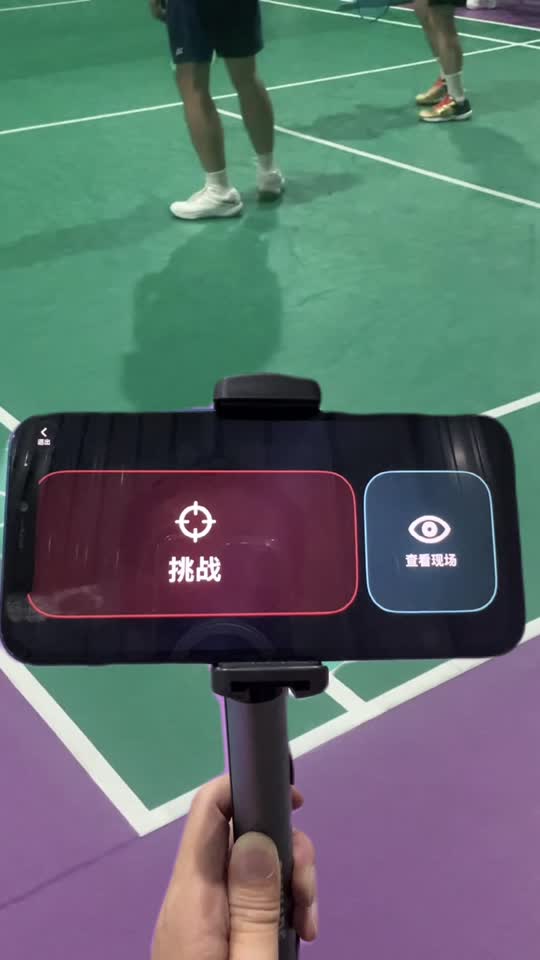
Single-phone challenge replay is free long-term. Use a stable stand, frame the line, and agree who will operate Challenge. No FanEye account is required.
One iPhone is enough to start. When a point is disputed, tap Challenge and look again in slow motion, frame by frame, or from another camera angle.
Free to start · Optional in-app subscriptions for more phones.
Single-phone challenge replay is free long-term. Use a stable stand, frame the line, and agree who will operate Challenge. No FanEye account is required.
Slow the replay, move back and forth, then step through frames to find the moment that matters. Enlarge the picture and take a closer look around the landing. Players or officials on site make the final call.
Free online rooms connect up to 2 phones. Pro connects up to 6. Professional includes Pro and adds 2–6 phones on the same stable LAN, with a dedicated controller that does not record.
The host's plan determines how many phones can join. Participating camera phones do not need to purchase, sign in to an Apple account or register a FanEye account to participate.
Each phone keeps its own video by default. Online rooms synchronize necessary control and room state, not challenge video. In Professional, selecting a camera sends its replay temporarily to the dedicated controller over the current LAN.
In Professional, keep one phone in hand to control the match and choose which camera replay to view. If you leave unexpectedly, it is easier to return to the same court and role. Group pause and resume require every participating phone to support pause and remain connected.
Use FanEye for training, casual games and amateur matches. Camera placement, lighting, obstruction, temperature, devices and network conditions affect the result. Test your setup before play.
FanEye does not automatically detect the shuttle landing or decide IN or OUT. Players or officials review the footage. Device, lighting and network conditions matter.
Video and privacy →